
Equipment Management Basics
## Equipment Management Basics
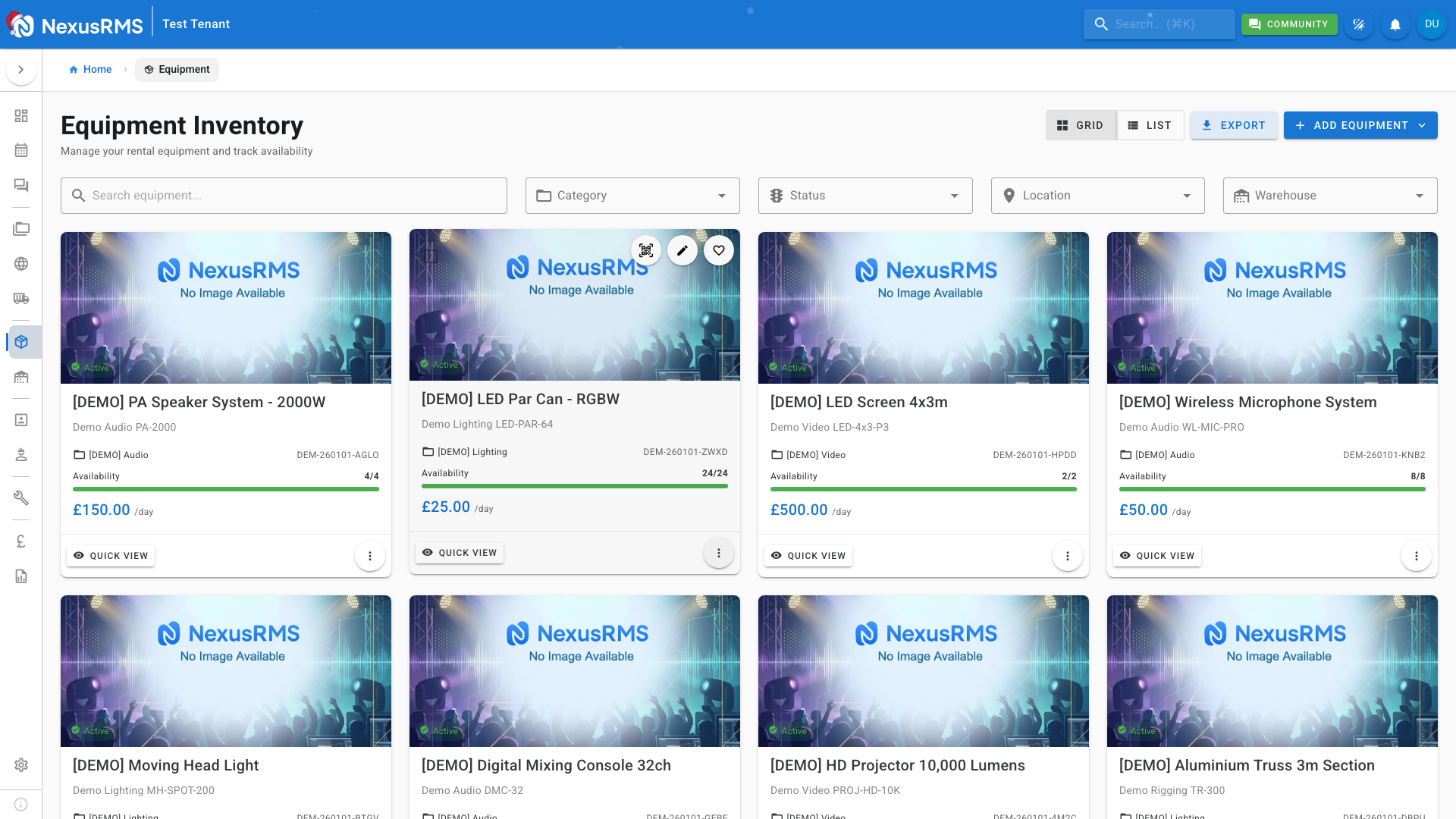
Equipment is at the heart of any rental business. NexusRMS provides comprehensive tools to track, manage, and optimize your inventory.
### Accessing Equipment
Navigate to **Equipment** in the sidebar to see your inventory. You can view equipment in two ways:
**Grid View** - Visual cards showing equipment images, availability, and pricing. Great for browsing.
**List View** - Table format with sortable columns. Ideal for bulk operations and comparisons.
### Adding Equipment
1. Click **Add Equipment** or the + button
2. Fill in the basic information:
- Name and description
- Category (Audio, Lighting, Video, etc.)
- SKU (auto-generated or custom)
3. Set tracking method:
- **Bulk** - Track by quantity (cables, accessories)
- **Serialized** - Track individual units (cameras, mixers)
4. Configure pricing and availability
5. Add images and documentation
6. Save
### Understanding Availability
The availability indicator shows:
- 🟢 **Green** - Units available
- 🟡 **Yellow** - Low stock
- 🔴 **Red** - No availability
Click any equipment to see detailed availability including:
- Current bookings
- Maintenance holds
- Future reservations
### Quick View
Hover over any equipment card and click the eye icon for Quick View. This shows essential details without leaving the list:
- Availability status
- Pricing
- Location
- Recent bookings
### Key Features
- **Categories** - Organize equipment logically
- **Tags** - Add flexible labels for searching
- **Pricing** - Set daily, weekly, monthly rates
- **Maintenance** - Schedule and track service
- **Combinations** - Bundle items into kits
For detailed equipment management, see the Equipment Management section of the Knowledge Base.
Was this article helpful?