
Booking & Reservations
Real-time availability checking, soft and hard reservations, and a full project lifecycle from inquiry to completion. Cross-company shared pool included.
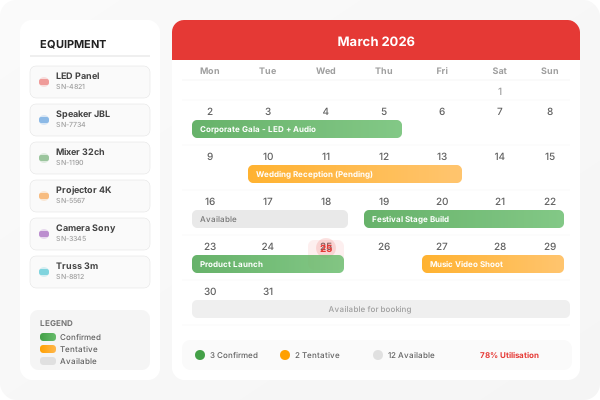
Complete Booking Control
Manage every reservation from initial inquiry through to project completion and invoicing
Project Lifecycle
Track every booking from initial inquiry through quoting, confirmation, dispatch, on-site, return, and invoicing.
Equipment Availability
Real-time availability checking across all serial numbers, warehouses, and shared pool partners.
Soft & Hard Bookings
Tentative holds while quotes are pending. Confirmed bookings lock equipment with guaranteed availability.
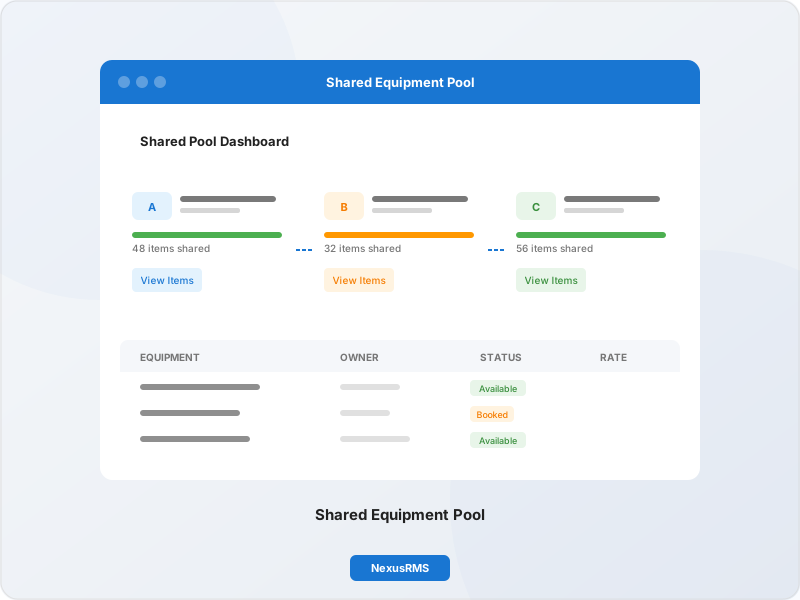
Shared Pool Booking
Book surplus equipment from partner companies. List your idle stock to earn revenue automatically.
Freelancer Booking
Post job requests to your freelancer network. Freelancers accept or decline with availability and rate.
Booking Approvals
Configurable approval workflows by value, category, or client. One-click approve from any device.
Calendar View
Visual calendar with month, week, day, and resource timeline views. Drag-and-drop rescheduling.
Automated Invoicing
Generate invoices automatically when a booking is completed. Configurable billing rules and schedules.
Booking Lifecycle
Every booking follows a clear path from inquiry to completion. Track status at every stage, automate transitions, and never lose sight of a project.
Availability Engine
Check availability across every serial number, warehouse, and shared pool partner in milliseconds. Soft holds are factored in so you never overbook.
Serial-Level Checks
Every individual unit is checked, not just quantities.
Soft Hold Awareness
Tentative bookings are factored into availability calculations.
Cross-Warehouse
Search availability across all warehouse locations simultaneously.
Shared Pool Search
Include partner company stock in availability results.
Shared Pool Booking
Access surplus equipment from partner companies. List your own idle stock to earn revenue. Automated billing, delivery tracking, and return management built in.
Search Partners
Find available equipment across all shared pool members
Reserve & Confirm
Place a hold, then confirm when your client approves
Automated Billing
Cross-company invoicing is handled automatically
Track Delivery
Monitor equipment transfer between companies
Return & Reconcile
Manage returns with damage reporting and deposit release
How NexusRMS Compares
See how our booking system stacks up against industry standards
| Feature | Industry Standard | NexusRMS |
|---|---|---|
| Real-Time Availability | Quantity only | Per Serial |
| Soft & Hard Bookings | Confirmed only | Both |
| Cross-Company Pool | Not Available | Built In |
| Booking Approvals | Manual | Automated |
| Freelancer Booking | Not Available | Full Support |
| Calendar Views | Basic | Multi-View |
| Auto Invoicing | Limited | Full Automation |
Ready to Try Booking & Reservations?
Start your 14-day free trial with full access to all features.
Start Free TrialNo credit card required • 14-day free trial • Cancel anytime